

You’ve got your parts list open. Processor, check. Graphics card, sorted. Then you see it, nestled in the specs for a shiny new motherboard: “PCIe 5.0 Support.” It sounds fast, it sounds advanced, and it often comes with a premium price tag. But is it a genuine game-changer for your new PC build, or is it just the latest buzzword in a world obsessed with specs?
This is the exact question we will answer. Welcome to “PCIe 5.0 Explained: Do You Really Need It in Your New PC Build?” In this guide, we’ll strip away the technical jargon and marketing hype. We’ll provide a clear explanation of what PCIe 5.0 is, contrast its theoretical power with real-world performance, and give you a straightforward verdict to help you decide where to spend your hard-earned money.
What is PCIe 5.0?
Before we dive into whether you need it, let’s quickly cover what it is. PCIe, which stands for Peripheral Component Interconnect Express, is the high-speed highway that connects critical components like your graphics card and storage drives directly to your computer’s processor.
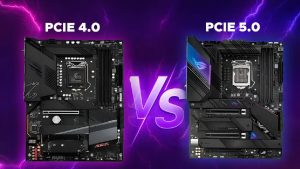
Think of it this way: if PCIe 4.0 is a modern, four-lane highway allowing traffic to fly along, PCIe 5.0 is a newly built, eight-lane super-highway right next to it. It has double the lanes and a much higher speed limit.
The key technical improvement is simple: PCIe 5.0 doubles the bandwidth of PCIe 4.0. This means data can move at twice the speed, which sounds incredible on paper. The table below breaks down the numbers clearly.
| Generation | Bandwidth (x16 slot) | Transfer Rate (per lane) |
|---|---|---|
| PCIe 4.0 | 64 GB/s | 2 GB/s |
| PCIe 5.0 | 128 GB/s | 4 GB/s |
Where PCIe 5.0 Actually Matters: The Components
So, where does all this extra speed actually get used? Let’s look at the components that plug into this new highway.
PCIe 5.0 SSDs (NVMe Drives)
This is where you can actually buy and use PCIe 5.0 hardware today. The numbers are staggering, with drives boasting sequential read and write speeds of 12,000 to 14,000 MB/s.
The Crucial Reality Check:
For the vast majority of users—including gamers and general productivity workers—this mind-boggling speed is overkill. Loading a modern game might take 2 seconds on a fast PCIe 4.0 SSD versus 1.5 seconds on a PCIe 5.0 drive. You simply won’t perceive the difference in daily tasks. Furthermore, this performance comes with real drawbacks:
-
Pros:
-
Blazing-fast sequential read/write speeds.
-
Potential benefits for specific professional workloads (e.g., editing massive 8K video files directly from the drive).
-
-
Cons:
-
High Cost: You pay a significant premium for speed you likely won’t use.
-
Heat and Cooling: These drives run very hot and often require bulky active coolers to prevent throttling, which can cause compatibility issues in some PC cases.
-
PCIe 5.0 for Graphics Cards (GPUs)
Here’s the truth that might save you a lot of money: There is not a single consumer-grade graphics card available today that can fully saturate a PCIe 4.0 x16 slot.
Even the most powerful gaming GPU on the market, the NVIDIA RTX 4090, shows only a negligible performance difference—often just a percentage point or two—between running on a PCIe 4.0 slot and a PCIe 5.0 slot. For gaming, PCIe 5.0 for GPUs is currently a checkbox feature purely for future-proofing your build for the next generation of graphics cards, which may eventually require the extra bandwidth.
Other Uses (Networking, AI, etc.)
The real-world applications for this bandwidth today are niche but do exist. Professionals working with ultra-high-speed networking (like 400 Gigabit Ethernet), specialized scientific compute cards, or certain AI accelerator cards can genuinely leverage PCIe 5.0 right now. For the average PC builder, however, these are not common considerations.
The Requirements & Costs of Going PCIe 5.0
To even access the PCIe 5.0 highway, you need to buy into a newer, more expensive ecosystem. It’s not just a single component upgrade. Here’s your practical checklist:
-
CPU: You need a recent processor platform. This means an Intel 12th Gen (“Alder Lake”) or newer CPU, or an AMD Ryzen 7000 series (“AM5”) or newer CPU.
-
Motherboard: Your motherboard must explicitly support PCIe 5.0. This includes Intel chipsets like Z690, B760, or Z790, and AMD chipsets like X670 or B650.
-
The Cost Implication: This is the most important part. These newer CPUs and motherboards are invariably more expensive than their previous-generation counterparts. An AMD AM5 platform (PCIe 5.0) will cost you more than a comparable AM4 platform (PCIe 4.0). You are paying a premium for the capability, which you may not even use during the life of your PC.
Part 3: The Verdict & Conclusion
6. Who REALLY Needs PCIe 5.0 Right Now?
Let’s cut through the noise and be direct about who actually benefits from this technology today.
Yes, You Might Need PCIe 5.0 If:
You fall into a very specific category of professional or enthusiast. This includes video editors who regularly work with raw 8K video footage and need to scrub through timelines without a stutter, data scientists who transfer massive multi-gigabyte datasets for analysis, or engineers running complex simulations. For these users, time is money, and the bandwidth of PCIe 5.0 SSDs can tangibly accelerate their workflow. The other group is the extreme enthusiast with an unlimited budget who simply wants the absolute latest technology, regardless of the cost-to-performance ratio.
Probably Not You (For Now):
If your primary activities are gaming, general office work, web browsing, streaming, or even content creation at 1080p or 4K resolutions, the performance gains of PCIe 5.0 are virtually imperceptible. For anyone building a PC with a budget in mind, the extra cost associated with the PCIe 5.0 platform represents one of the lowest returns on investment you can get. The performance-per-dollar is currently very low, and that money is almost always better spent elsewhere.
7. The Future-Proofing Argument
This is the big question that lingers: “If I’m building a new PC, shouldn’t I just get it to be safe for the future?” It’s a sensible thought, but let’s examine it from both sides.
The Case For Future-Proofing:
There is a logical argument for paying a small premium for a feature you might grow into. If you are the type of person who keeps a computer for five to seven years and you find a PCIe 5.0-compatible motherboard that costs only a little more than a last-gen model, it can be a sensible hedge. It ensures that if a must-have PCIe 5.0 graphics card or storage device arrives in three years, your system is ready for it.
The Case Against Future-Proofing:
The pace of technology is relentless. By the time consumer-grade GPUs and applications truly demand PCIe 5.0’s full bandwidth, newer platforms with even more advanced features—like PCIe 6.0—will likely be on the market. Paying a significant amount of money today for a feature you might use tomorrow is often a poor investment. You are essentially betting on a future that may look very different. A wiser approach is to buy for your proven needs today and upgrade the entire system later when those future needs become a present reality.
8. Final Conclusion & Simple Answer
So, after all this, let’s directly answer the question we started with: PCIe 5.0 Explained: Do You Really Need It in Your New PC Build?
The answer, for most of us, is a clear no.
For the vast majority of PC builders today, PCIe 5.0 is a ‘nice-to-have’ feature, not a ‘must-have.’ Your money is better spent on a more powerful GPU, more RAM, or a higher-capacity PCIe 4.0 SSD, which will provide a much more noticeable performance uplift in everything you do.
Don’t let spec sheets and marketing hype dictate your build. Focus your budget on the components that you will genuinely feel every time you sit down at your computer, and you will end up with a better, more satisfying PC for your money.